top of page
Next Step Cam
Use this software along with OBS Studio, ManyCam, and similar software to create a fun online learning experience for your learners. There are 26 different effects, 8 gifs, 10 overlays, and a few drag and click effects.
Instructions
- Download, unzip,
and install NextStepCam
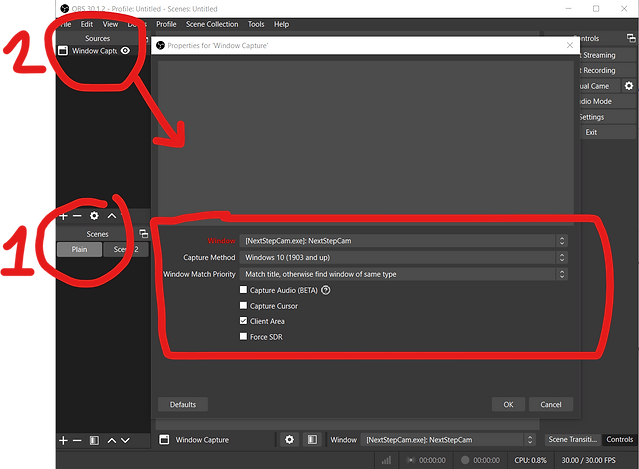
- Open OBS Studio
1. Create a scene
2. Add the source and
edit the properties
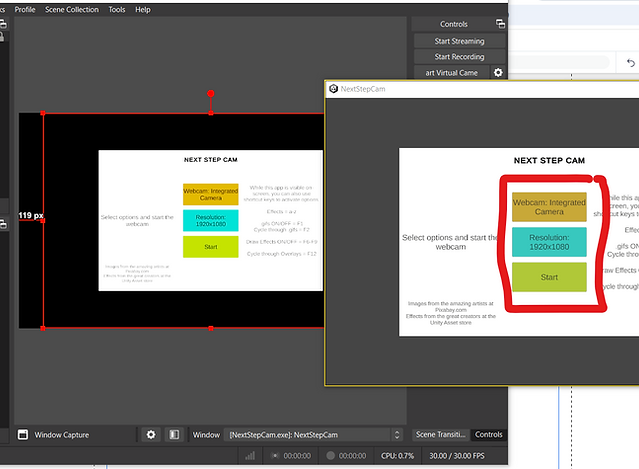
- Open NextStepCam
- The defaults should be fine
- Hit Start
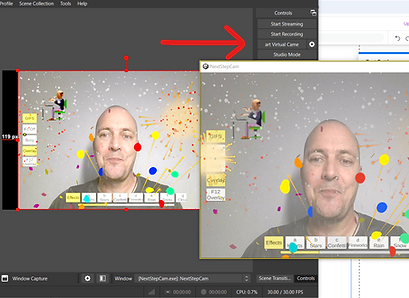
- Start Virtual Camera as
per usual for your lesson.
- Keep NextStepCam running in the background. It will need to be visible to apply effects, etc.
bottom of page